

很多小伙伴在用玩客云刷完OneKVM以后特别是做了内网穿透把…
遇到菜单栏图标不显示用以下命令重新签名
codesign -f -s – /Applications/CleanMyMac_5.app/Contents/Library/LoginItems/CleanMyMac_5_Menu.app/Contents/MacOS/CleanMyMac_5_Menu
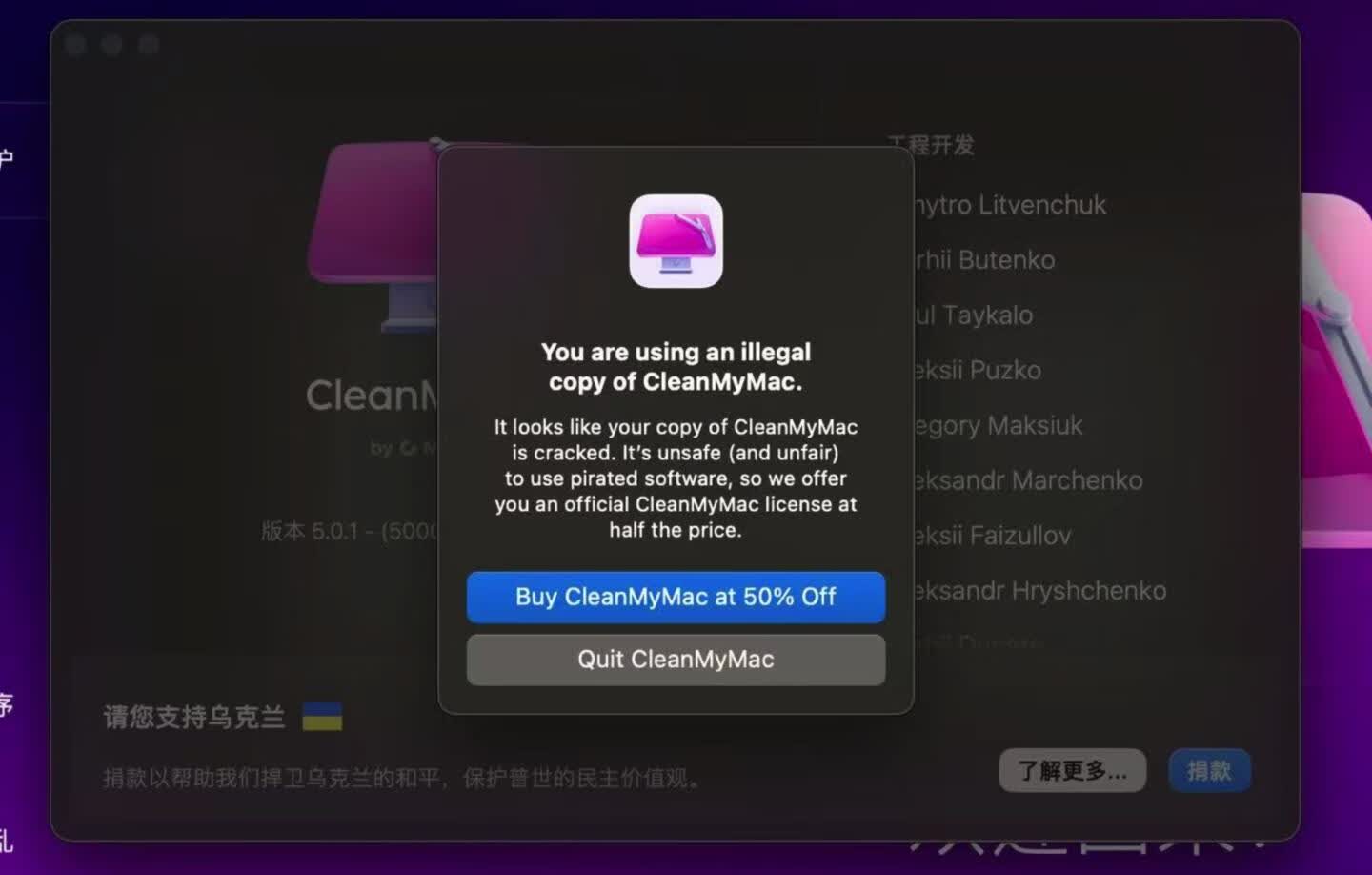
用了一段时间弹窗提示You are using an illegalcopy of CleanMyMac.怎么解决
小问题:官方验证缓存造成,清理干净缓存,在重新安装一遍破解即可,这种情况是由于5版本老版本缓存造成
遇到这种的情况!只需要终端回车执行下面命令,一条一个(正常就不用了)
sudo codesign -fs – –all-architectures –timestamp=none “/Applications/CleanMyMac_5.app/Contents/Library/LaunchServices/com.macpaw.CleanMyMac5.Agent”
sudo codesign –remove-signature “/Applications/CleanMyMac_5.app”
sudo xattr -cr “/Applications/CleanMyMac_5.app”
sudo codesign -f -s – –timestamp=none –all-architectures –deep “/Applications/CleanMyMac_5.app”
相关档案